
The short version
- DoorDash sends an annual mileage estimate, not a trip-by-trip log.
- The estimate is tied to on-delivery mileage, so check which drives it leaves out.
- The IRS does not let you deduct amounts you estimate, so keep your own record.
What does DoorDash send Dashers about miles?
DoorDash sends mileage estimate emails by January 31 to US and Canada Dashers who were active during the year, dashed by car, and had on-delivery mileage, according to the Dasher Guide to Taxes in the DoorDash help center. The email arrives after the year is over, so it cannot help you decide where to drive or what to record on a given night.
The same help center says that Dashers who do not track mileage with an outside app receive mileage information during tax season only. In other words, the platform’s figure shows up at the end of the year, when a drive from March is hard to reconstruct from memory.
The same Dasher app holds the earnings side of the year. DoorDash sends a 1099-NEC to anyone who earned $600 or more between January 1 and December 31, and you can view and download monthly earnings statements in the app. Those documents report what you were paid. They do not replace a record of the miles behind the pay.
What does the DoorDash mileage estimate leave out?
The estimate is tied to on-delivery mileage, so it describes driving that happened on an order. The help center does not say that driving to a restaurant before an order is assigned, driving between two orders, or driving for a second app is included. If you did that driving for work, it still belongs in your log.
A platform estimate also cannot stand in for your own record. IRS Publication 463 (2025) says you can’t deduct amounts that you approximate or estimate. The estimate is useful for checking your totals, but the entries you claim need to come from your own trip records.
How big can the gap get? An illustrative shift
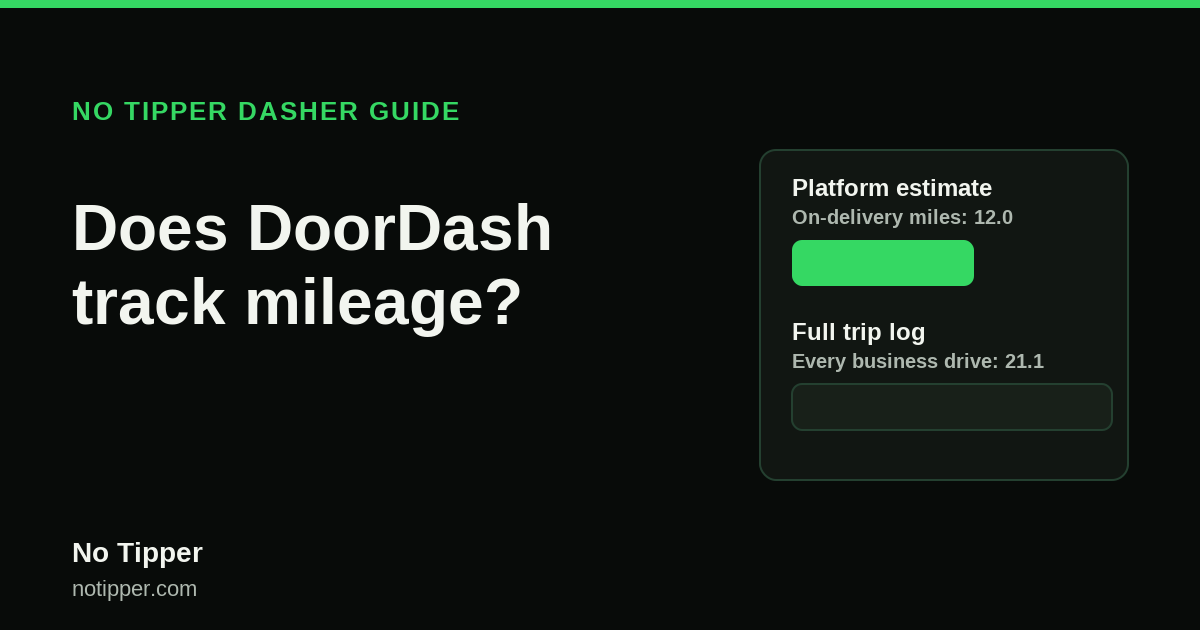
The numbers below are made up for illustration. They show how one evening splits between driving the platform counts and driving the help center does not describe.
| Drive during the evening | Miles | Counted in on-delivery mileage? |
|---|---|---|
| Restaurant to customer, first order | 6.2 | Yes, on-delivery |
| Restaurant to customer, second order | 5.8 | Yes, on-delivery |
| Driving to a restaurant before the order was assigned | 4.4 | Not described in the help center |
| Driving between orders | 4.7 | Not described in the help center |
| Total for the evening | 21.1 | On-delivery: 12.0 |
In this example the on-delivery figure covers 12.0 of 21.1 miles, which is about 57 percent. That percentage comes from the made-up numbers above. Your own shifts will land somewhere else. The method carries over: sort each drive by what it was for before you total anything.
How does your own trip log cover the gap?
Your own log can include every business drive, including the ones the estimate skips. Record each drive with its date, miles, and purpose. IRS guidance says a log kept on a weekly basis that accounts for the week’s use is considered a timely kept record, so you can batch entries at the end of the week, but you should not wait until the following January.
Write the purpose in terms you can check later. “Delivery” alone is weak. “Restaurant to customer, second order” gives a reader enough to match the row to a trip.
No Tipper keeps trip time and mileage in the same record, so each delivery drive gets its own row with a category. Add a manual trip when automatic capture misses one. For the app side of this, see the DoorDash mileage tracker, which walks through the setup before and after each shift.
How should you check the estimate against your log?
Compare the two once the January email arrives. Pull your log for the same calendar year, total the miles from your on-delivery rows, and set that total next to the estimate. If the estimate is higher, look for a mistake in your rows before you assume the platform is wrong. If your log is higher, the gap is probably the drives the estimate does not describe, so note which trip types they were.
Save the January email with your tax file. It is the platform’s figure for the year, and a copy of what it said makes the same comparison easy to repeat next year.
If you drive for more than one delivery app, keep one record that covers all of them, and tag each row with its app. Multi-app delivery tracking for Dashers covers how to set that up without splitting one shift into two records.
Trip details, fuel estimates, messages, and exports in one place.
No Tipper is an iOS app for delivery drivers that records trip time and mileage, estimates gas cost from vehicle inputs, prepares rule-based customer messages, and exports trip records as CSV or PDF through No Tipper Pro.
Free to download. No Tipper Pro unlocks unlimited saved trips, CSV/PDF export, and custom message templates for $1.99/month or $19.99/year in the US. Plans auto-renew; cancel in Apple Subscriptions. Confirm any trial eligibility in the app.
Common questions
Does DoorDash track every mile I drive?
No. The help center describes a yearly mileage estimate tied to on-delivery mileage. It does not describe a trip-by-trip log of every drive.
When does DoorDash send the mileage estimate?
By January 31, to US and Canada Dashers who were active during the year, dashed by car, and had on-delivery mileage, according to the Dasher Guide to Taxes.
Can I use the DoorDash estimate as my mileage record?
Not by itself. The IRS says you can’t deduct amounts you approximate or estimate, so keep your own log alongside the platform figure.
Do I still need a log if DoorDash sends an estimate?
Yes. The estimate is one input. Your own log shows each trip, its miles, and its purpose, which is what you need when someone asks how a number was built.
No Tipper is an independent utility and is not affiliated with or endorsed by DoorDash. Platform features and policies can change; check official platform guidance when a question depends on current DoorDash rules.