
The short version
- Record the starting odometer before the first business drive and the ending odometer after the last one.
- Write personal detours on their own line so the business total stays explainable.
- Transfer paper entries weekly and keep a photo or backup copy.
What do you need for a manual mileage log?
A manual mileage log needs a notebook or spreadsheet, a repeatable set of columns, and access to the vehicle’s odometer. Use date, start odometer, end odometer, business miles, destination, purpose, and platform. Add a notes column for personal detours or a corrected reading.
Keep the notebook where the habit happens, such as the center console, and attach a pen. For a spreadsheet, pin the file to the phone’s home screen and make one row easy to enter. The existing DoorDash mileage log template offers a six-column version if you prefer to log separate drives rather than a whole shift.
IRS Publication 463 (2025) summarizes four record elements for car use: amount, time, place, and business purpose. For a car, amount includes the mileage for each business use and total miles for the year. The IRS mileage log requirements guide maps those elements to delivery work in more detail.
What should you write at the start of a shift?
At the start of a shift, write the date, time, odometer reading, platform, and immediate business purpose before the car moves. A useful purpose is specific enough to recognize later, such as “Drive to delivery zone and begin DoorDash shift.” A vague label such as “work” gives you less to check against your history.
Use the odometer reading shown in the vehicle, including the decimal when available. Do not reset the vehicle’s trip meter unless that is already your routine. The permanent odometer is easier to compare across days because yesterday’s ending reading should lead naturally into today’s starting point after any personal driving is accounted for.
If your business driving begins only after a personal commute, take the start reading where the business use begins. The correct boundary can depend on your work pattern and tax facts, so record the location and ask a tax professional when the distinction is unclear.
What should you record during the shift?
During the shift, record changes that would make the final odometer difference misleading. Write down personal detours, a switch to another delivery platform, or a long break that ends the business run. A quick line while parked is easier than trying to recall the route three days later.
You do not need to copy every turn. Record enough context to explain the business miles: pickup area, delivery area, platform, and purpose. If you run two apps in the same evening, name the platform on each row or note the time of the switch.
DoorDash may provide some mileage information, but it should not be your only contemporaneous record. Does DoorDash track mileage? explains what platform estimates can leave out and why your own start point matters.
What should you write when the shift ends?
When the shift ends, write the ending time and odometer reading before starting any personal drive home. Subtract the starting reading from the ending reading, then subtract separately logged personal miles. Add the business-mile result to the row and check that the purpose and destination are still understandable.
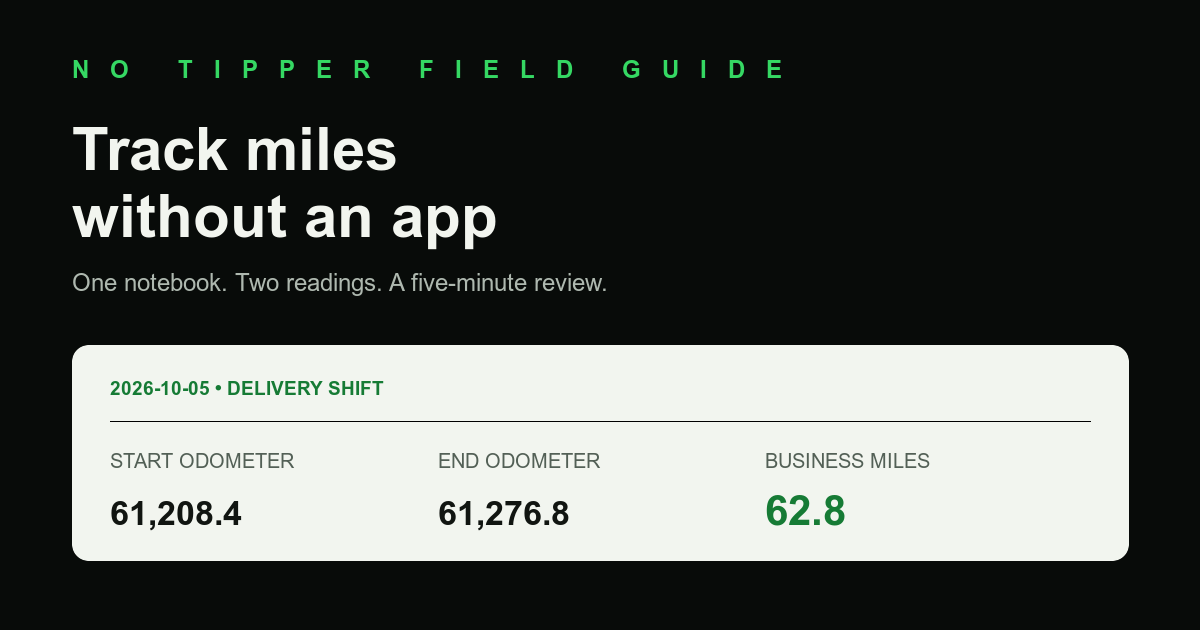
Here is an original illustrative shift. The driver begins at 61,208.4 miles at 10:35 a.m., logs a 5.6-mile personal lunch detour, and ends at 61,276.8 miles at 3:50 p.m. Total movement is 68.4 miles. After removing 5.6 personal miles, the business total is 62.8 miles.
| Field | Entry |
|---|---|
| Date | 2026-10-05 |
| Start | 10:35 a.m. at 61,208.4 |
| Purpose | DoorDash deliveries, Northside and Midtown |
| Personal detour | 5.6 miles for lunch |
| End | 3:50 p.m. at 61,276.8 |
| Business miles | 68.4 total minus 5.6 personal = 62.8 |
The numbers reconcile because the total movement and personal detour are both visible. If the next odometer reading does not follow from this one, add a personal-use note before starting the next business row instead of changing the earlier shift.
How often should you total a paper or spreadsheet log?
A paper or spreadsheet log should be reviewed at least weekly. IRS Publication 463 says a log kept weekly that accounts for the week’s use is considered a timely kept record. That is a practical ceiling, not a reason to wait seven days when a missing entry is obvious tonight.
During the weekly review, total the business miles, compare the sequence of odometer readings, and mark any gap that came from personal use. Photograph notebook pages and store the images outside the car. For a spreadsheet, download or copy the file to a second location.
At year end, the same IRS publication calls for total miles driven during the year, not only business miles. Record the odometer near January 1 and December 31, or preserve another reliable annual reading. Monthly totals make that final review faster and expose a bad formula before it affects twelve months.
When should a manual logger switch to an app?
A manual logger should consider an app when missed entries become routine, shifts overlap, or arithmetic takes longer than review. Messy handwriting can still produce a complete log. A growing pile of drives reconstructed from receipts and delivery history is the real warning sign.
You can switch without abandoning the old records. Start the app on a clear date, save the final manual odometer entry, and keep the same purpose and platform labels. For the app workflow, DoorDash mileage tracking for Dashers explains automatic capture, manual corrections, and exports.
If paper continues to work, keep it. A complete notebook is more useful than an app with disabled permissions, and a spreadsheet you review each Friday can be more dependable than any automatic total you never open.
Trip details, fuel estimates, messages, and exports in one place.
No Tipper is an iOS app for delivery drivers that records trip time and mileage, estimates gas cost from vehicle inputs, prepares rule-based customer messages, and exports trip records as CSV or PDF through No Tipper Pro.
Free to download. No Tipper Pro unlocks unlimited saved trips, CSV/PDF export, and custom message templates for $1.99/month or $19.99/year in the US. Plans auto-renew; cancel in Apple Subscriptions. Confirm any trial eligibility in the app.
Common questions
Can I use a notebook as a mileage log?
Yes. Record the date, miles, destination, and business purpose, keep the entries timely, and preserve a backup such as page photos.
Do I need start and end odometer readings for every delivery?
Start and end readings are a direct way to calculate and check miles. The IRS record elements focus on mileage for each business use and total annual miles, so readings are useful evidence rather than a required format for every delivery.
Is a weekly spreadsheet update timely enough?
IRS Publication 463 says a weekly log that accounts for the week’s use is considered timely kept. Daily entry is still easier to remember and verify.
How do I handle personal miles during a delivery shift?
Write the personal segment on its own line and subtract it from the total movement before recording business miles.
Should I keep annual odometer readings?
Yes. Total annual mileage helps support the split between business and personal use, so preserve a reading near the beginning and end of the year.
No Tipper is an independent utility and is not affiliated with or endorsed by DoorDash. Platform features and policies can change; check official platform guidance when a question depends on current DoorDash rules.