
The short version
- Treat a crowd-sourced price as a lead, then confirm the sign or pump before using it in a shift record.
- Match the report to the grade and payment method you will use; loyalty discounts may not be part of the displayed number.
- A lower reported price matters only after your own miles and MPG turn it into a dollar difference.
What does a GasBuddy gas price tell a delivery driver?
A GasBuddy gas price tells a delivery driver that someone recently submitted or confirmed a price for a particular station and fuel type. It gives you a useful price candidate and a time marker. It does not confirm that the number is still on the sign, applies to your grade, or matches your payment method when you arrive.
GasBuddy’s Help Center says its prices are gathered primarily from volunteer spotters, including GasBuddy members. It also explains, “Prices submitted on the app take precedence over prices submitted on the website” because app reports use location settings and are more likely to come from near the station. Check who reported the price and when.
No Tipper does not reproduce live station listings. Once you have a price you can reasonably use, the shift fuel cost calculator shows how to combine it with your miles and MPG for a shift estimate.
How can a driver use an AAA fuel price?
Use an AAA fuel price as a starting point, then confirm the station, fuel grade, payment terms, and posted amount before putting it into a shift estimate. No Tipper does not retrieve AAA or GasBuddy prices; it converts the price you verify, your shift miles, and your vehicle MPG into estimated fuel cost.
The DoorDash gas cost guide explains the three-input calculation, and the fuel-log mileage cost guide shows where a verified price belongs in a dated record.
What should you verify before trusting a reported gas price?
A driver should verify the timestamp, station, grade, payment type, and discount conditions before trusting a reported gas price. Those five checks catch most mismatches between an app listing and the amount that appears at the pump.
| Check | What to compare | Why it changes the number |
|---|---|---|
| Report time | How recently the price was posted | Stations can change prices after the report |
| Fuel grade | Regular, mid-grade, premium, or diesel | Each grade has its own price |
| Payment | Cash price or credit price | Some stations post separate amounts |
| Discount | Public price or loyalty price | Membership and coupon prices may require eligibility |
| Pump sign | Displayed price when you arrive | The station display is the final check |
GasBuddy asks contributors to report the price before store loyalty cards, coupons, car-wash discounts, or tax exemptions when possible. Its reporting guidance treats a cash discount separately. That means a number that looks available in the list may still need one more check against the payment method you plan to use.
How do you turn a GasBuddy price into shift fuel cost?
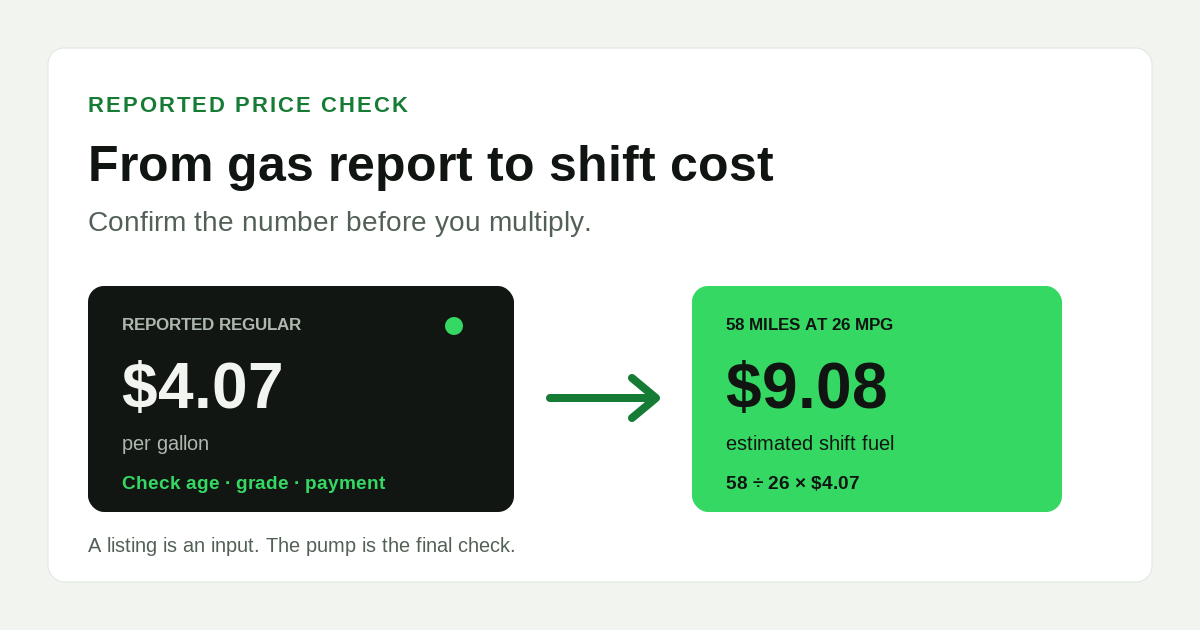
Turn a GasBuddy price into shift fuel cost by dividing shift miles by your MPG, then multiplying by the price per gallon. Take a 58-mile evening shift in a car averaging 26 MPG. The shift uses an estimated 2.231 gallons.
At a confirmed $4.07 per gallon, the fuel estimate is 58 ÷ 26 × $4.07 = $9.08. A second station reported at $3.93 produces an $8.77 estimate on the same miles and MPG. The difference is 31 cents for the whole shift, before any miles required to reach the second station.
| Same 58-mile shift | $4.07 per gallon | $3.93 per gallon |
|---|---|---|
| Estimated gallons at 26 MPG | 2.231 gallons | 2.231 gallons |
| Estimated shift fuel | $9.08 | $8.77 |
| Fuel cost per mile | 15.7 cents | 15.1 cents |
| Difference | Same-price baseline | 31 cents less |
The posted gap is 14 cents per gallon, yet the shift-level difference is only 31 cents because this trip needs a little over two gallons. If reaching the lower-price station adds enough distance or delay, the smaller pump number can lose. Use the cheapest-gas detour test when the stations are not equally convenient.
Why does your own MPG matter more than the reported price gap?
Your own MPG controls how many gallons the shift consumes, so it controls how much any reported price gap can save. A 14-cent difference saves more on a low-MPG vehicle or a longer shift because more gallons pass through the calculation. It saves very little on a short route in an efficient car.
Keep the miles and MPG fixed when comparing two prices. If you change the MPG in one column, you are comparing vehicles or driving conditions as well as stations. That muddies the station decision. Use a recent mixed-driving MPG for delivery work unless the route is clearly highway-heavy.
A quick check is price difference × estimated gallons. In the worked example, $0.14 × 2.231 gallons equals about $0.31. You can do that multiplication before calculating both full totals. If the maximum possible saving is already trivial, the farther station does not need more analysis.
Which gas price should you save with the shift?
Save the price you actually paid, along with the date and station receipt or transaction record. A pre-shift report is a planning input. The pump price is the better record after the purchase because it reflects the grade, payment method, and discounts that applied to you.
Put the fuel check into a repeatable routine. Use the DoorDash mileage log to keep the shift distance in the same workflow. The Dasher shift checklist sets aside a before-shift moment for vehicle and gas inputs and an after-shift moment for reviewing the trip. That is enough structure to keep an old reported price from drifting into several days of estimates.
If you do not buy gas during the shift, label the number as a fuel estimate rather than a purchase. The fuel-log mileage cost guide shows how to keep a posted-price estimate separate from a fill-to-fill measurement. You can still use the current local price to compare trips, but it should not be confused with a receipt total or a claim about gallons put into the tank.
What should you do when a GasBuddy price looks stale?
When a GasBuddy price looks stale, check a more recent report or confirm the station display and replace the old number before doing shift math. Do not average an old low price with a new high price. The pump will charge one current amount, so the estimate should use one current amount too.
If you are already driving an order, wait until you are safely stopped. A few cents per gallon rarely justify handling a phone in traffic. Record the confirmed price before the next shift or at the pump, then leave the prior trip distance unchanged.
Trip details, fuel estimates, messages, and exports in one place.
No Tipper is an iOS app for delivery drivers that records trip time and mileage, estimates gas cost from vehicle inputs, prepares rule-based customer messages, and exports trip records as CSV or PDF through No Tipper Pro.
Free to download. No Tipper Pro unlocks unlimited saved trips, CSV/PDF export, and custom message templates for $1.99/month or $19.99/year in the US. Plans auto-renew; cancel in Apple Subscriptions. Confirm any trial eligibility in the app.
Common questions
Are GasBuddy gas prices guaranteed?
No. They are reported prices and can be stale or mismatched to a grade, payment type, or discount. Confirm the station display before treating one as the price you will pay.
Does GasBuddy show cash and credit prices?
GasBuddy’s reporting guidance treats cash pricing separately when a station offers a cash discount. Check the listing and the station sign for the payment method you will use.
How do I calculate shift fuel cost from a reported price?
Divide shift miles by your vehicle MPG, then multiply the estimated gallons by the confirmed price per gallon.
How much does a 10-cent gas-price difference save?
Multiply 10 cents by the gallons your trip is expected to use. A trip using 2.5 gallons saves about 25 cents before any station detour.
No Tipper is an independent utility and is not affiliated with or endorsed by DoorDash. Platform features and policies can change; check official platform guidance when a question depends on current DoorDash rules.